how connection works in whatsapp api provider api?how connection works in whatsapp api provider api?
In the modern world of digital communication, businesses rely heavily on instant messaging to reach their customers efficiently. Among these platforms, WhatsApp stands out as a robust tool for personal and professional communication.
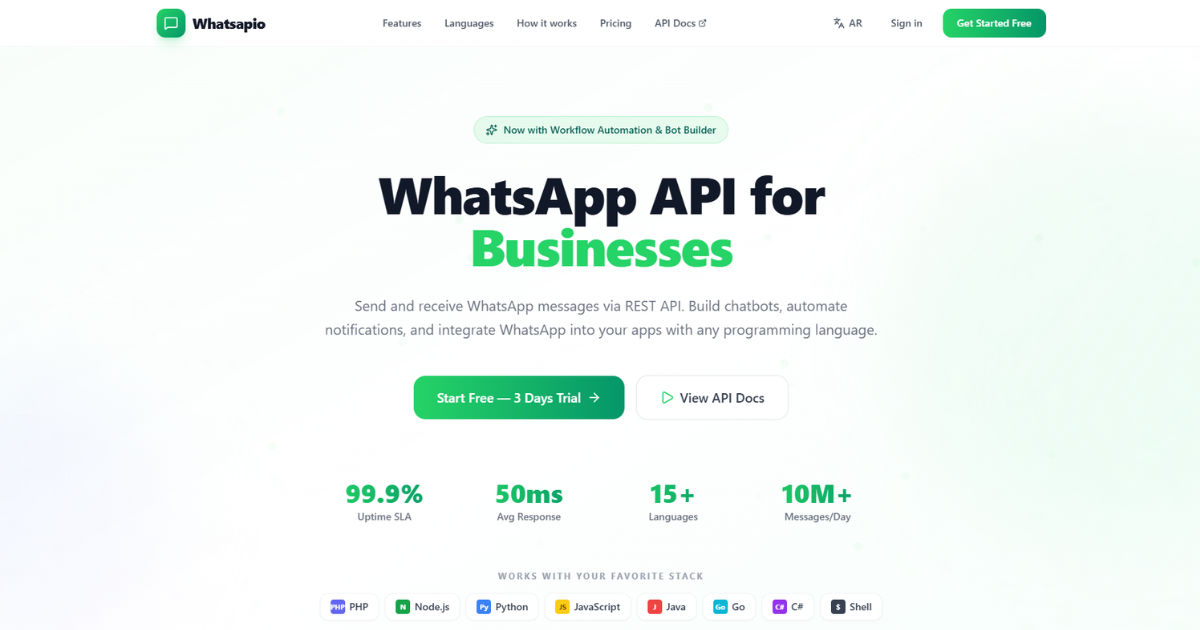 But for businesses to leverage WhatsApp at scale, they need access through a WhatsApp API provider. Understanding how connection works in a WhatsApp API provider API is essential for developers, business owners, and digital marketers who want seamless communication with their audience.
This guide will break down the connection process, explain technical details in an easy-to-understand manner, and provide practical tips on using WhatsApp APIs efficiently.
Understanding WhatsApp API Provider
A WhatsApp API provider is a company or service that enables businesses to connect their systems with WhatsApp for automated messaging, customer support, notifications, and marketing campaigns. Unlike the standard WhatsApp app, the API allows automated, large-scale communication without violating WhatsApp’s terms of service.
The API provider acts as a bridge between your system—like a CRM, e-commerce platform, or customer support software—and WhatsApp’s official infrastructure. Through this connection, you can send messages programmatically, receive responses, and track interactions.
Why Businesses Need a WhatsApp API Provider
Businesses use a WhatsApp API provider for several reasons:
- Automated Messaging: Send order confirmations, reminders, or promotional messages automatically.
- Customer Support: Enable chatbots or live support agents to respond instantly.
- Scalability: Handle thousands of messages per day, which is impossible with the regular app.
- Compliance: Stay within WhatsApp’s guidelines for business messaging.
Without a proper API connection, businesses risk being blocked or limited by WhatsApp for violating rules.
How the Connection Works: Basic Overview
Connecting to a WhatsApp API provider involves several key steps. At its core, the connection ensures your system can communicate securely and reliably with WhatsApp servers.
- Registration with the Provider
You first sign up with a WhatsApp API provider and create a business profile. This involves submitting details like your business name, contact number, and verification documents. WhatsApp approves only verified businesses for API access. - Obtaining API Credentials
After approval, the provider gives you API credentials such asAPI key,Client ID, andSecret Token. These credentials authenticate your system with the WhatsApp servers securely. - Setting Up Webhooks
Webhooks are URLs on your server where WhatsApp sends events, like incoming messages or delivery notifications. Setting them up correctly ensures your system can receive real-time updates without polling the API continuously. - Establishing a Secure Connection
Connections use HTTPS protocols to ensure encrypted communication. Most providers recommend using TLS 1.2 or higher. The API provider ensures that all message data sent and received is secure. - Sending and Receiving Messages
With the connection established, your system can now send messages through API endpoints. Incoming messages are received via webhooks. The provider manages message queuing, delivery tracking, and error handling.
Step-by-Step Connection Process
Let’s explore the connection process in detail.
Step 1: Business Verification
Before connecting to any WhatsApp API provider, WhatsApp verifies your business. This process usually includes:
- Validating your phone number.
- Confirming your business name and category.
- Checking that your business complies with WhatsApp’s commerce policies.
Verification ensures your business is legitimate, reducing the risk of spam and misuse.
Step 2: Getting API Credentials
Once verified, the WhatsApp API provider issues:
- API Key: Used to authenticate requests.
- Client ID: Unique identifier for your business account.
- Secret Token: Encrypts messages for secure transmission.
These credentials are crucial for establishing the connection between your system and WhatsApp servers.
Step 3: Configuring Webhooks
Webhooks are essential for real-time communication. When a user sends a message to your business:
- WhatsApp servers notify your webhook URL.
- Your system processes the message (e.g., triggers a chatbot or sends a response).
- This avoids constant polling, which can be inefficient and costly.
Step 4: Choosing the Right API Endpoints
The WhatsApp API provider offers various endpoints for different tasks:
- Send Message Endpoint: For text, media, or templates.
- Message Status Endpoint: Tracks message delivery and read status.
- Contacts Endpoint: Manages user contact information.
- Media Endpoint: Upload and retrieve images, documents, or videos.
Each endpoint has specific parameters, request types, and response formats that need to be integrated properly.
Step 5: Secure Communication
Security is non-negotiable. Messages are sent over HTTPS using TLS encryption. The WhatsApp API provider ensures:
- Authentication using API keys.
- Data integrity with encrypted payloads.
- Protection against man-in-the-middle attacks.
This guarantees messages remain private between your business and the user.
Technical Components of the Connection
A WhatsApp API connection consists of several technical components:
API Gateway
Acts as a mediator between your system and WhatsApp servers. It handles requests, routes messages, and provides logging for debugging.
Webhook Listener
A server endpoint that listens for incoming events from WhatsApp. Proper configuration ensures all messages, status updates, and errors are received reliably.
Database Integration
Stores messages, user data, and logs. A well-structured database ensures you can track interactions, analyze responses, and maintain message history.
Message Queue
Manages outgoing messages to avoid overload. If thousands of messages are sent simultaneously, the queue ensures smooth delivery without errors.
Types of Messages in WhatsApp API
Understanding message types is crucial:
- Text Messages: Simple messages with text content.
- Template Messages: Pre-approved messages used for notifications.
- Media Messages: Images, videos, PDFs, or audio files.
- Interactive Messages: Buttons, lists, or quick replies for engagement.
Each message type requires correct API formatting, as dictated by the WhatsApp API provider.
Common Challenges and Solutions
Even with a reliable WhatsApp API provider, businesses face challenges:
- Message Delivery Failures: Often due to invalid numbers or network issues.
Solution: Implement retries and error handling. - Webhook Downtime: If your webhook server goes offline, messages are missed.
Solution: Use monitoring and fallback URLs. - Compliance Issues: Sending non-approved messages can result in account suspension.
Solution: Follow WhatsApp’s template and content rules strictly. - Scalability: High message volumes can overwhelm servers.
Solution: Use message queues and load balancers for smooth operation.
Best Practices for Connecting with WhatsApp API Provider
- Secure Your Credentials: Never expose your API key or secret token.
- Use Webhooks Efficiently: Ensure your webhook server can handle spikes in traffic.
- Monitor Message Status: Track delivery, read receipts, and errors for better insights.
- Use Approved Templates: Always use pre-approved message templates to avoid rejection.
- Test in Sandbox Mode: Most providers offer a sandbox for testing before going live.
Integrating WhatsApp API with Other Systems
A WhatsApp API provider connection becomes even more powerful when integrated with other platforms:
- CRM Systems: Sync customer data and trigger automated responses.
- E-commerce Platforms: Send order confirmations and shipping updates.
- Support Ticket Systems: Automate replies and create tickets from messages.
- Analytics Tools: Measure engagement, delivery rates, and campaign performance.
Integration ensures seamless communication across your business ecosystem.
Real-World Use Cases
E-commerce Notifications
Online stores use WhatsApp APIs to send order confirmations, shipping updates, and delivery notifications. Customers get timely updates without calling support.
Customer Support
Automated chatbots answer FAQs instantly, reducing workload on support teams. For complex issues, messages can be routed to human agents.
Marketing Campaigns
Businesses send promotional messages, discounts, and interactive campaigns to targeted audiences while staying compliant with WhatsApp policies.
Appointment Reminders
Healthcare, education, and service industries use WhatsApp API to send automated reminders to reduce no-shows.
Conclusion
Connecting to a WhatsApp API provider is a vital step for businesses that want to scale messaging and improve customer communication. The process involves verification, obtaining credentials, setting up secure webhooks, and understanding message types. With careful integration, businesses can automate messaging, enhance customer support, and boost engagement.
By following best practices, monitoring message status, and adhering to compliance rules, companies can maximize the benefits of WhatsApp while avoiding common pitfalls. The right provider acts as a bridge between your business system and WhatsApp, ensuring secure, reliable, and efficient communication.
Ultimately, understanding how connection works in a WhatsApp API provider API empowers businesses to take full advantage of one of the world’s most popular messaging platforms.