
Pic to Text is a technology that allows users to extract written content from images and convert it into editable digital text. Instead of manually typing out words from a photo, this tool reads the image and transforms the visible characters into a text format that can be copied, edited, and shared. For students, professionals, and everyday users, this solution saves time and effort.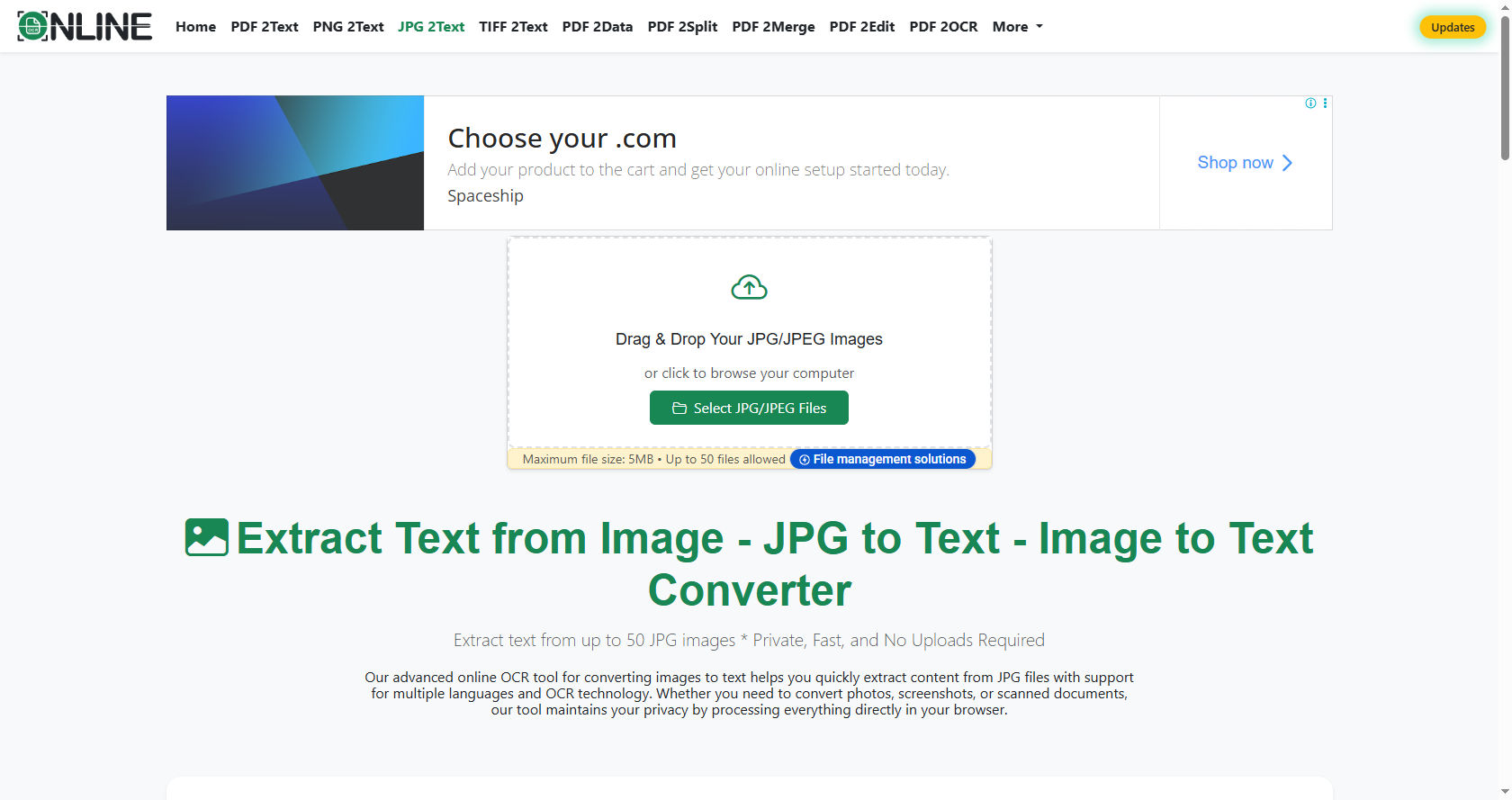
When you use Pic to Text, you upload an image file that contains printed or sometimes handwritten words. The system scans the image carefully and detects the shapes of letters and numbers. Within seconds, the text appears on your screen in a digital form.
Pic to Text tools rely on optical character recognition, commonly known as OCR. OCR is the core technology that identifies patterns in an image and matches them with letters in a database. This process turns pictures into usable text documents.
Why Convert Pictures into Text?
In today’s digital world, information is often shared as images. Screenshots, scanned documents, posters, and even social media graphics contain valuable written content. However, text inside images cannot be edited directly. That is where Pic to Text becomes useful.
One major benefit of Pic to Text is speed. Instead of spending hours typing notes from a textbook image or rewriting a printed document, users can extract everything in seconds. This improves productivity and reduces frustration.
Instead of typing every word by hand, Pic to Text allows users to focus on understanding and organizing the information. It is especially helpful for long documents such as contracts, assignments, research papers, or business reports.
Students often use Pic to Text to convert notes from whiteboards, textbooks, or printed worksheets into digital format. This makes it easier to store, search, and revise study material.
Businesses depend on Pic to Text for digitizing paper records. Companies that handle invoices, receipts, and forms can quickly convert physical paperwork into searchable digital files.
How Pic to Text Works
To understand Pic to Text better, it is important to know the steps behind the process. Even though it looks simple from the user’s side, several advanced systems work together in the background.
Modern Pic to Text systems use OCR algorithms to analyze the image. First, the software improves the image quality by adjusting brightness and contrast. This helps the system clearly see each character.
Artificial intelligence helps Pic to Text recognize different fonts, sizes, and layouts. It compares shapes in the image with stored patterns of letters and symbols. This pattern recognition allows the system to identify words accurately.
As Pic to Text processes the image, it organizes the recognized characters into lines and paragraphs. Finally, it presents the output as plain text that users can copy, edit, or download.
Types of Pic to Text Tools Available Online
There are many types of Pic to Text tools available on the internet. Some are simple websites, while others are advanced software programs with extra features.
Some Pic to Text platforms are browser-based tools. You do not need to install anything. You simply upload your image, wait a few seconds, and receive the converted text.
Mobile Pic to Text apps are designed for smartphones and tablets. These apps allow users to take a photo directly with their camera and instantly convert it into text.
Desktop Pic to Text software often provides advanced editing options. These programs may support batch processing, meaning users can convert multiple images at once.
Each type of tool serves different needs. Casual users may prefer quick online platforms, while professionals might choose advanced software for large projects.
Step-by-Step Guide to Using Pic to Text Online
Using Pic to Text online is simple and does not require technical knowledge. Most platforms follow similar steps.
First, open a trusted Pic to Text website. Make sure the platform is secure and does not misuse your data.
Second, upload your image to the Pic to Text tool. Supported formats usually include JPG, PNG, or PDF files.
Third, let the Pic to Text system scan and analyze your image. This process usually takes only a few seconds.
After processing, the Pic to Text platform will display the extracted text in a box. Review it carefully to check for minor errors.
Finally, copy the text generated by the Pic to Text tool and paste it into your document editor. You can now edit, format, or share it as needed.
Key Features to Look for in a Good Tool
High-quality Pic to Text platforms offer more than basic conversion. They include features that improve accuracy and user experience.
Many Pic to Text services support multiple languages. This is useful for users who work with international documents.
Advanced Pic to Text tools can recognize complex layouts, including tables and columns. This ensures that the final output matches the original structure as closely as possible.
Some Pic to Text websites allow users to convert scanned PDF files into editable Word documents. This feature is especially helpful for office and academic tasks.
Speed, accuracy, language support, and file format compatibility are important factors when choosing a reliable platform.
Accuracy and Factors That Affect It
The accuracy of Pic to Text depends on several factors. The quality of the original image plays a major role.
Clear images improve Pic to Text results. If the picture is sharp, well-lit, and straight, the system can easily recognize each character.
Blurry photos can reduce Pic to Text accuracy. Shadows, low resolution, or distorted angles may cause errors in the extracted text.
To get the best from Pic to Text, users should ensure that the image is properly aligned and has good lighting. Using high-resolution scans also improves results.
Although modern tools are highly advanced, reviewing the final output is always recommended.
Security and Privacy Considerations
When using Pic to Text online, privacy should always be a concern. Uploaded images may contain sensitive information such as personal data or business details.
Choose a Pic to Text provider that clearly explains its privacy policy. Reliable platforms usually delete uploaded files after processing.
Secure Pic to Text services use encryption to protect user data during upload and download. This reduces the risk of information leaks.
For confidential documents, some users prefer offline software to maintain full control over their data.
Common Uses in Education
Pic to Text is helpful in education. Students often take photos of classroom notes, slides, or textbook pages.
By converting these images into digital format, learners can highlight, edit, and organize the material more efficiently. Searchable text also makes revision easier before exams.
Teachers can use such tools to digitize printed worksheets or old question papers. This makes it easier to share materials online.
In research projects, extracting quotes from scanned books saves valuable time and effort.
Business and Professional Applications
In offices, Pic to Text speeds up document management. Employees no longer need to retype printed contracts or meeting notes.
Administrative staff can convert receipts and invoices into editable text for record keeping. This improves accuracy and reduces manual errors.
Legal professionals often work with scanned documents. Converting them into digital text allows quick searching for specific terms.
Healthcare organizations also benefit by digitizing patient records for easier storage and retrieval.
Travel and Everyday Life Uses
Travelers use Pic to Text to translate foreign signs, menus, and instructions. After extracting the text, they can use translation tools to understand the content.
People also use this technology to copy quotes from posters, capture information from business cards, or save recipes from cookbooks.
In everyday life, converting image-based text into digital format makes information easier to manage and share.
Comparison with Manual Typing
Compared to manual typing, Pic to Text saves a significant amount of time. Typing long passages from printed material can be tiring and slow.
While typing requires constant attention and accuracy, Pic to Text completes most of the work automatically. Users only need to proofread the final result.
However, Pic to Text may still require minor corrections. Certain fonts or unclear handwriting might lead to small mistakes.
Even with these minor edits, the overall time saved is substantial.
Limitations of the Technology
Although Pic to Text is powerful, it is not perfect. Some challenges still exist.
Handwritten notes can challenge Pic to Text systems. While many tools support handwriting recognition, accuracy may vary depending on writing style.
Images with decorative fonts or artistic designs may also cause recognition errors.
Poor lighting, tilted images, or low-resolution scans can reduce performance.
Even with these limitations, Pic to Text continues to improve as artificial intelligence becomes more advanced.
The Future of Image-to-Text Conversion
The future of Pic to Text looks promising. As machine learning and artificial intelligence evolve, accuracy levels will continue to rise.
Future systems may better understand context, grammar, and formatting. This means fewer corrections will be needed after conversion.
As AI improves, Pic to Text will become faster, smarter, and more accessible to users around the world.
Integration with cloud storage, document editors, and translation tools will likely make this technology even more powerful.
Tips for Getting the Best Results
To achieve the best results when converting images into text, follow simple guidelines.
Use high-resolution images whenever possible. Clear and sharp pictures produce better recognition.
Keep the camera steady and avoid shadows. Good lighting improves character detection.
Align the document properly before taking a photo. Straight images are easier to process.
Proofread the output carefully. Even advanced systems may occasionally misinterpret certain characters.
Advantages Over Traditional Scanning
Traditional scanners create digital copies of documents, but they do not always make the text editable. Converting scanned files into usable text requires additional steps.
Image-to-text conversion tools simplify this process. Instead of saving documents as static images, users receive fully editable text.
This makes editing, formatting, and sharing much easier. Search functions also become available once the content is in text form.
How It Supports Digital Transformation
Digital transformation is the process of replacing manual systems with digital solutions. Converting image-based text into editable documents plays an important role in this change.
Organizations that digitize records can reduce storage space, improve accessibility, and enhance workflow efficiency.
Students and professionals who rely on digital tools benefit from quicker access to information.
By bridging the gap between paper and digital content, image-to-text conversion supports a more connected and efficient world.
Challenges and Ethical Considerations
While the technology is beneficial, ethical concerns should not be ignored.
Users must respect copyright laws when extracting text from books or articles.
Personal data protection is also essential. Sensitive documents should be handled responsibly.
Responsible use ensures that this powerful tool benefits society without causing harm.
Conclusion
Converting images into editable text has changed the way people handle information. From classrooms to corporate offices, the ability to extract written content from pictures has made daily tasks easier and faster.
This technology relies on advanced systems such as OCR and artificial intelligence to recognize characters and organize them into readable text. Its applications are wide-ranging, including education, business, travel, and personal use.
Although some limitations exist, improvements in machine learning continue to enhance accuracy and performance. Clear images and proper lighting significantly improve results, while careful proofreading ensures high-quality final documents.
As digital transformation continues to shape the modern world, image-to-text conversion tools will play an even more important role. They reduce manual effort, save time, and increase productivity across many fields.
For students, professionals, and everyday users, understanding how this technology works provides a strong advantage. It empowers individuals to manage information more efficiently and adapt to a fast-changing digital environment.
In summary, converting pictures into text is more than a convenience. It is a powerful solution that bridges traditional paper-based communication and modern digital systems. As innovation continues, this technology will become even more accurate, accessible, and essential in daily life.